Kinara Google Slide Template: A Complete Design Toolkit
When you need to deliver a presentation that feels both professional and visually cohesive, the Kinara Google Slide Template is the kind of resource that can transform your workflow. This isn't just a collection of slides—it's a comprehensive design system built to give your ideas a polished, consistent foundation.
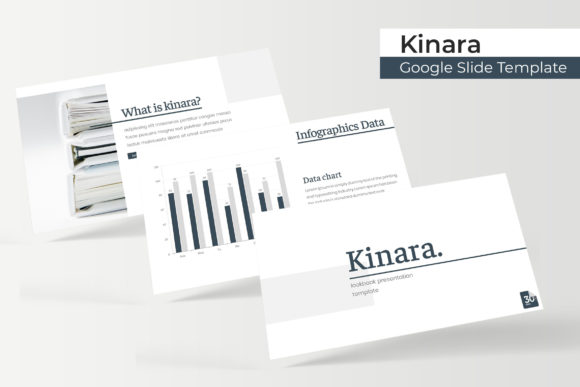
What sets Kinara apart is its thoughtful structure. With over 150 total slides organized across five premade color palettes, you get 30 meticulously designed slides for each color variation. This means you can switch between themes without losing design integrity, whether you're presenting a brand strategy, a product launch, or a creative portfolio.
Designed for Real-World Use
Every slide in the Kinara template is built with practicality in mind. The handcrafted infographics help you visualize data in a way that's both clear and aesthetically pleasing. Section break slides create natural pauses in your narrative, while dedicated gallery and portfolio layouts let your work speak for itself.
The template includes resizable and editable graphics with picture placeholders that support drag-and-drop functionality. You can swap images, adjust colors, and modify layouts without breaking the design. Everything is based on master slides, ensuring that changes propagate consistently throughout your presentation.
What's Included in Your Download
When you choose the Kinara Google Slide Template, you receive a complete package designed for immediate use:
- 5 PPTX files in widescreen format
- 5 premade color variations for design flexibility
- A Readme First guide for easy setup
- Information about the font used with a free download link
- Pixel-perfect illustrations that maintain quality at any size
Note that the photographs and pictures shown in the preview are for illustration purposes only and aren't included in the download. This keeps the template clean and ready for your own visuals.
Why This Template Works for Different Projects
The versatility of Kinara makes it suitable for various professional contexts. Marketing teams can use it to create consistent brand presentations. Educators can build engaging lecture materials. Entrepreneurs can develop investor pitches that look polished and credible.
The five color variations are particularly useful for maintaining visual consistency across different projects or departments. You can assign specific palettes to different product lines, service categories, or presentation types without starting from scratch each time.
Practical Tips for Getting the Most from Kinara
To maximize the value of this template, consider these approaches:
- Test font pairings with your brand's existing typefaces to ensure visual harmony
- Use the master slides to maintain consistency when making global changes
- Customize the color palettes to match your specific brand guidelines
- Replace placeholder images with your own high-quality visuals for authenticity
The right presentation template does more than organize information—it builds trust and reinforces your professional image. Kinara's design system approach means you're not just getting slides; you're getting a framework that adapts to your content while maintaining visual sophistication.
Whether you're building a brand identity, creating marketing materials, or developing educational content, starting with a well-designed foundation like Kinara helps ensure your message comes across with clarity and style. The combination of thoughtful structure, flexible customization options, and professional aesthetics makes it a valuable asset for anyone who regularly creates presentations.