Reglow Google Slide Template: Modern Presentation Design
Imagine transforming a standard presentation into a visually cohesive and professional narrative with just a few clicks. The Reglow Google Slide Template offers a comprehensive suite of design assets, making it a powerful tool for anyone looking to elevate their visual communication. This isn't just another slide deck; it's a curated design system built for clarity, impact, and creative flexibility.
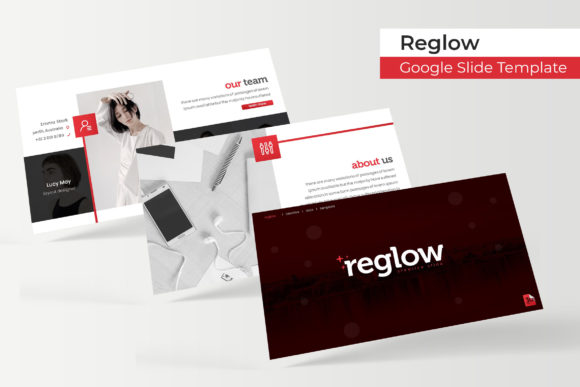
At its core, the Reglow template is built on a foundation of modern typography and clean, purposeful layouts. It understands that a great presentation needs more than just good content; it requires a visual language that supports and enhances the message. With over 150 total slides, the template provides an extensive library of pre-designed sections, from data-driven infographics to elegant portfolio galleries, ensuring you have the right frame for every idea.
A Foundation of Color and Craft
One of the most significant features is the inclusion of five premade color themes. Each theme offers 30 meticulously designed slides, providing instant visual variety and consistency. This allows you to match the template to your brand identity or the specific mood of your project in seconds. The handcrafted infographics and section break slides are particularly noteworthy, transforming complex data and chapter transitions into engaging visual stories that hold an audience's attention.
The practical design elements are where this template truly shines for everyday use. Features like resizable and editable graphics, along with picture placeholders that support drag-and-drop functionality, drastically reduce the time spent on formatting. Built on master slides, every component is pixel-perfect and ensures alignment and proportion are maintained throughout your deck. This attention to detail helps create a polished, professional presentation that feels intentionally designed from start to finish.
Practical Use Cases and Creative Applications
While ideal for business pitches, client reports, and educational lectures, the template's clean aesthetic and flexible structure make it suitable for a wide range of creative projects. Consider using it for:
- Brand and Marketing: Crafting a cohesive brand identity guide, product launch presentation, or social media strategy deck.
- Creative Portfolios: Showcasing design work, photography, or architectural projects with gallery and portfolio slides.
- Editorial and Education: Designing workshop materials, course content, or magazine-style editorial layouts.
The key is to view the template not as a rigid framework, but as a starting point. The editable graphics allow you to swap in your own icons and illustrations, while the color themes can be adjusted to align with your specific brand palette. This makes it a versatile asset in any designer's toolkit, similar to how a well-chosen typeface or a set of premium design assets can be adapted across different projects.
Maximizing the Template's Potential
To get the most out of the Reglow Google Slide Template, a few practical tips can help. First, always start by reviewing the included "Readme" file and ensure you have the recommended free font installed. This maintains the intended typographic harmony. Next, use the master slides to your advantage for global changes, and don't hesitate to mix and match elements from different color themes to create a unique look. The template's strength lies in its structured flexibility—use the pre-built layouts as a guide for content hierarchy, but feel empowered to customize.
Ultimately, choosing a well-designed template like Reglow is about investing in efficiency and visual impact. It provides a professional scaffold that allows your content to shine, ensuring your ideas are presented with the clarity and polish they deserve. By handling the heavy lifting of design consistency, it frees you to focus on what truly matters: your message and your story.